


Google Classroom
2.839.70K Reviews
App Specs
- Version
- 3.58.916096563
- Updated On
- License
- Free
- Downloads
- 100,000,000+
- Developer
- Google LLC
- Categories
- Education
- Platform
- Android, iOS
Screenshots
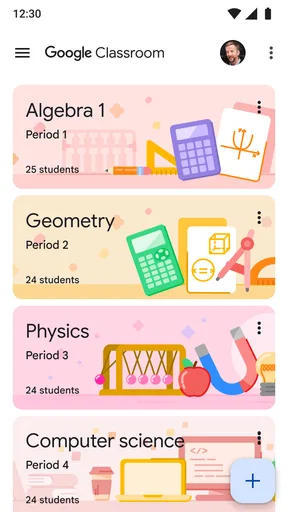
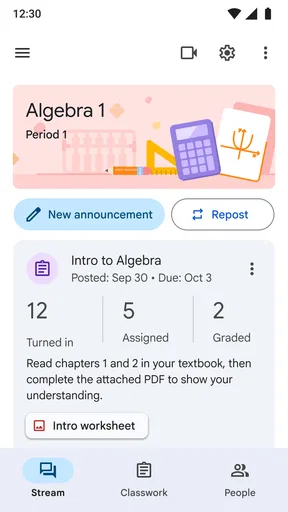
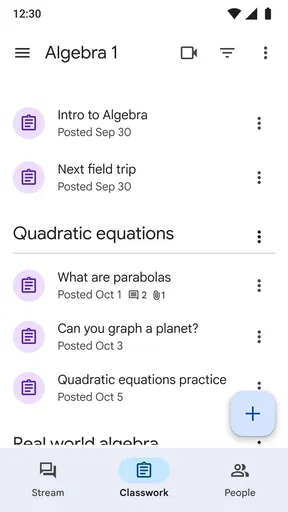
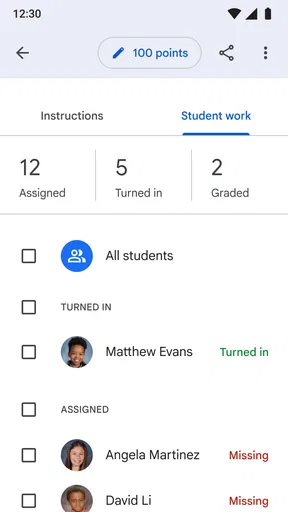
 Analysis by AppCompare
If you've ever found yourself wading through the sea of apps designed to make learning more accessible, you've likely come across Google Classroom. As someone who often dives into the world of educational tech, I decided to give this app a whirl and share my two cents. Spoiler alert: it's pretty darn impressive.
Getting Started with Google Classroom
First things first, setting up Google Classroom is a breeze. Whether you're a teacher or a student, the interface is intuitive. I downloaded the app on my Android device, and within minutes, I was ready to roll. If you're already in the Google ecosystem, you'll find the transition seamless, thanks to its integration with Google Drive, Docs, and Calendar.
The sign-up process is straightforward. Teachers can create classes and invite students via email or a unique class code. Students just plug in that code, and boom, they're in. No fuss, no complicated steps. This simplicity is part of what makes Google Classroom such a hit.
Features That Make a Difference
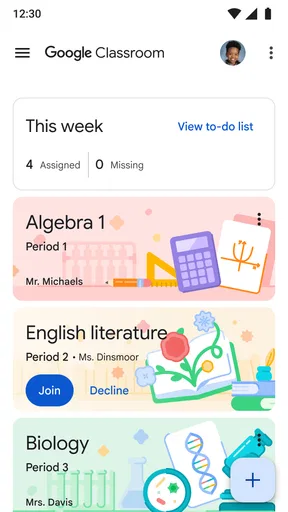
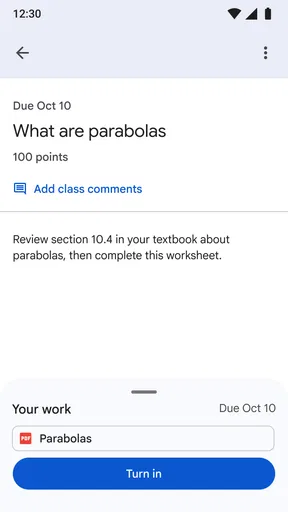
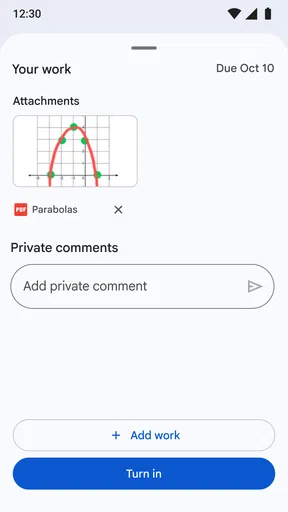
Now, let's talk about what you can actually do in Google Classroom. The app serves as a hub for assignments, class materials, and communication. Teachers can post assignments, which students can then complete and submit—all from within the app. It’s like having a virtual classroom in your pocket.
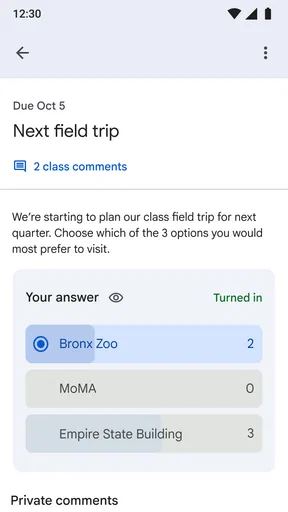
One feature I absolutely love is the ability to create and distribute quizzes. Teachers can use Google Forms to craft quizzes and then link them to the classroom. This integration not only saves time but also keeps everything organized in one place. Plus, the automatic grading feature is a lifesaver for teachers dealing with large classes.
Communication is another strong suit. The app includes a stream for announcements and class discussions, making it easy to stay connected. Whether it's a quick update or a detailed post, everything is visible to the entire class. Students can also comment and ask questions, fostering a collaborative environment.
The User Experience
Using Google Classroom is like having a personal assistant for school tasks. The layout is clean, and navigation is a cinch. I found that the app's design focuses on functionality without unnecessary bells and whistles. It’s straightforward, which is exactly what you need when managing multiple classes or assignments.
Worth Reading Before You Choose

Baby Panda World Brings Quick Play to Modern Phones, but Its Game Library Feels Busy

ESPN’s Live Game View Makes Following Close Games Easier

QuizzLand Review: A Good Fit for Short Trivia Breaks, Not Every Player

Basketball Stars: Multiplayer Is Fast, but Can It Recover When Matches Go Wrong?

WEBTOON Turns Phone Updates Into a Better Reading Routine

Link to Windows Runs on Shared Habits, Not Social Feeds
Another aspect worth highlighting is the app's accessibility. Whether you’re on a smartphone, tablet, or desktop, Google Classroom remains consistent. This cross-platform compatibility ensures that students and teachers can access their materials wherever they are, whenever they need.
Challenges and Considerations
While Google Classroom has plenty to offer, it's not without its limitations. For one, it relies heavily on an internet connection. If you're in an area with spotty Wi-Fi, you might encounter some hiccups. Additionally, while the app is fantastic for managing assignments and communication, it doesn't replace all the features of a full-fledged learning management system.
Another point to consider is privacy. Since the app integrates deeply with Google services, there are always questions about data security. It's essential to ensure that all users are aware of privacy settings and practices.
Final Thoughts
All in all, if you're looking for a reliable, easy-to-use platform for managing classroom activities, Google Classroom is a stellar choice. It brings together essential educational tools in a way that's accessible for both tech-savvy and tech-anxious users. While it might not be perfect for every situation, its strengths in integration, communication, and ease of use make it a must-try for educators and students alike.
So, whether you're a teacher looking to streamline your class workflow or a student wanting to keep track of assignments, give Google Classroom a shot. It might just be the educational tool you've been searching for.
Pros
- User-friendly interface for teachers and students.
- Seamless integration with Google Drive.
- Efficient communication with announcements feature.
- Accessible on multiple devices and platforms.
- Automated grading and feedback tools.
Cons
- Limited customization for assignments.
- Requires internet access to function.
- Notifications can become overwhelming.
- No built-in attendance tracking feature.
- Limited file format compatibility.
FAQs for Google Classroom
What is Google Classroom and how does it work?
Google Classroom is a free educational platform by Google that facilitates online learning and classroom management. It integrates with other Google services like Drive and Docs, allowing teachers to create, distribute, and grade assignments paperlessly. Students can submit work, receive feedback, and collaborate with peers in real-time, making it a versatile tool for both in-person and remote learning.
Is Google Classroom suitable for all types of educational institutions?
Yes, Google Classroom is designed to accommodate a range of educational settings, from K-12 schools to universities. Its flexibility allows educators to tailor their classrooms to fit their specific needs, whether it’s managing a large lecture or a small seminar. However, access to certain features may depend on the institution's IT policies and Google Workspace for Education plan.
What devices are compatible with Google Classroom?
Google Classroom is accessible on a variety of devices, including computers, tablets, and smartphones. It supports both Android and iOS platforms, making it convenient for students and teachers to stay connected and manage coursework from anywhere. A stable internet connection is essential to ensure seamless access and functionality.
How secure is Google Classroom in terms of data privacy?
Google Classroom adheres to strict privacy and security standards to protect user data. It complies with GDPR and FERPA regulations, ensuring that student information is safeguarded. Google does not use Classroom data for advertising purposes, and institutions can control access and permissions to maintain a secure learning environment.
Are there any costs associated with using Google Classroom?
Google Classroom is free for educational institutions to use, providing access to a suite of tools without any licensing fees. However, schools may incur costs if they choose to upgrade to Google Workspace for Education Plus for additional features. It’s important to check with your institution to understand any potential costs.


